Difference between revisions of "VTube-STEP v2.9.17"
(→25pxNEW - BLM VGP-3D Bender Data Report) |
(→25pxOther Changes) |
||
| (6 intermediate revisions by one user not shown) | |||
| Line 4: | Line 4: | ||
[[image:vtube-step_logo_2.png|300px]] | [[image:vtube-step_logo_2.png|300px]] | ||
==Version 2.9.17== | ==Version 2.9.17== | ||
| − | Release Date: January | + | Release Date: January 17, 2019<br> |
| − | Build: | + | Build: 42 |
| Line 149: | Line 149: | ||
<td width=300> | <td width=300> | ||
This version now has a BLM VGP-3D bender data report with CW positive rotations. | This version now has a BLM VGP-3D bender data report with CW positive rotations. | ||
| + | <br><br> | ||
| + | Download the [https://www.advancedtubular.com/vtube-laser/VTUBE%20BLM%20VGP-3D%20Report.pdf PDF Report] | ||
</td> | </td> | ||
| Line 159: | Line 161: | ||
</table> | </table> | ||
| + | <br><br> | ||
| + | |||
| + | ==[[image:Check.jpg|25px]]NEW - Collect Control Changes == | ||
| + | |||
| + | <table cellpadding=10 width=1200> | ||
| + | |||
| + | <tr valign=top> | ||
| + | <td width=300> | ||
| + | 1) "Keep adding more surfaces" is now true by default.<br><br> | ||
| + | 2) End Trim from Surface now uses the middle radio button choice by default: Trim to Surface Furthest Point from Centerline Midpoint.<br><br> | ||
| + | </td> | ||
| + | <td> | ||
| + | [[image:vts_v2.9.18_CollectControl_Changes.png|500px]] | ||
| + | </td> | ||
| + | </tr> | ||
| + | |||
| + | </table> | ||
| + | |||
| + | |||
<br><br> | <br><br> | ||
| Line 167: | Line 188: | ||
* The Language Editor reloads from the main user interface much faster than previous versions. (Build 32) | * The Language Editor reloads from the main user interface much faster than previous versions. (Build 32) | ||
* Optimized the STEP mode and LASER mode default settings to make VTube faster in its default state. (Build 33) | * Optimized the STEP mode and LASER mode default settings to make VTube faster in its default state. (Build 33) | ||
| + | * Fixed show unbend only in STEP mode (Build 39) | ||
| + | * Added DOCS file import file checks | ||
Latest revision as of 19:28, 17 January 2019
|
Version 2.9.17Release Date: January 17, 2019
|
|


 NEW - Super fast AUTOBUILD PARAMETRIC Import of Solid Models

|
|
|
The Rules for Autobuild
|
|
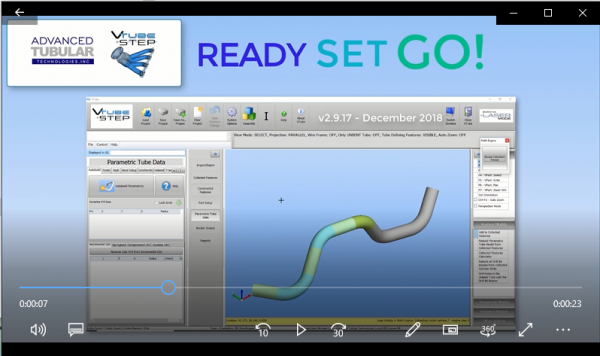
VideoClick on the video image to see a video of the Autobuild Parametrics feature working. |
|


NEW - Collected Features Menu Fine-tuned with New Buttons
|
We found that users intuitively seek to use the Collected Features menu on the left of the screen to start the collection process. |
|


ENHANCED - PATH MANAGER - Clear Paths That No Longer Exist in the Path Manager
|
The new command allows you to clear paths that no longer exist in the list of Path Manager. |
|

ENHANCED - Configure the PATH MANAGER
|
Now you can configure the Path Manager without importing or loading any files. |
|

NEW - BLM VGP-3D Bender Data Report
|
This version now has a BLM VGP-3D bender data report with CW positive rotations.
|
|


NEW - Collect Control Changes
|
1) "Keep adding more surfaces" is now true by default. |
|

Other Changes
- For HTML reports, the screen-image bmp file is now only copied to the html export folder when it is present in the html report.
- The export html report feature would display an error and would not save he html reports. This has been fixed.
- The Language Editor reloads from the main user interface much faster than previous versions. (Build 32)
- Optimized the STEP mode and LASER mode default settings to make VTube faster in its default state. (Build 33)
- Fixed show unbend only in STEP mode (Build 39)
- Added DOCS file import file checks
Other Pages
- Back to VTube-LASER
- Back to VTube Software Updates (for LASER Mode)
- See also VTube-STEP
- See also VTube-STEP Revisions
- See Customer Support Page to download the latest version.
