Difference between revisions of "Restoring the Configuration File in CNC Bender"
| Line 1: | Line 1: | ||
| + | <table> | ||
| + | <tr> | ||
| + | <td> | ||
[[image:cncbender_logo.jpg|400px]] | [[image:cncbender_logo.jpg|400px]] | ||
| + | </td> | ||
| + | <td> | ||
[[image:Operatorstation_model.jpg|right]] | [[image:Operatorstation_model.jpg|right]] | ||
| + | </td> | ||
| + | </tr> | ||
| + | </table> | ||
===CNC Bender Configuration File Restoration=== | ===CNC Bender Configuration File Restoration=== | ||
Revision as of 21:50, 26 January 2011
|
|
 |

CNC Bender Configuration File Restoration
|
If the CNC Bender system is shutdown immediately through power loss it is possible that the configuration file will be lost and needs to be rebuilt from a backup file. |
"How Will I Know That the Configuration Needs to Be Restored?"
|
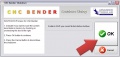
As of version 10-20080407, CNC Bender will usually warn you if the configuration file is corrupt. See the image at the right.
|
|

Where is the Backup File?
|
CNC Bender was designed so that every part and tool file is a backup configuration file. So there are potentially hundreds of backup files on the operator systems disk. |
Steps for Restoration
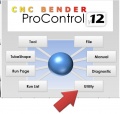
STEP 1 - Choose the UTILITY menu.

STEP 2 - Press MAIN tab inside that menu.

STEP 3 - Press Low-Level Setup.
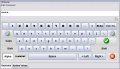
STEP 4 - Enter the Password and press Enter.
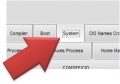
STEP 5 - Press System tab in the Low Level menu
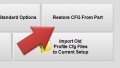
STEP 6 - Press Restore CFG from Part
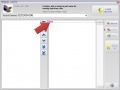
STEP 7 - Choose a recent part file to use as a new configuration file.
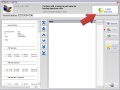
STEP 8 - Click on LOAD
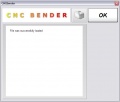
STEP 9 - Click on OK
STEP 10 - Exit Low Level
STEP 11 - Choose the UTILITY menu.
STEP 12 - Press MAIN tab inside that menu.

STEP 13 - Close CNC Bender
STEP 14 - Close CNC Bender

STEP 15 - Load CNC Bender
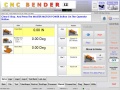
STEP 16 - Test bender


What if there are file path problems?
| If the file path to your parts is also lost, then it will probably be necessary to reset the file paths int he |
